Appearance
AI Agents and Tool Use
AI Agents and Tool Use Graphics Coverage
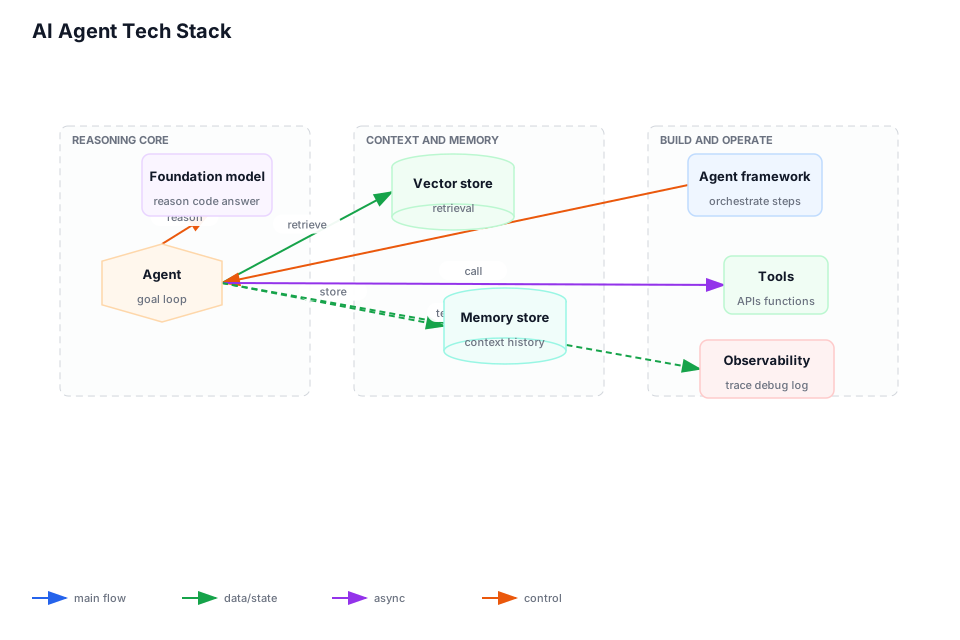
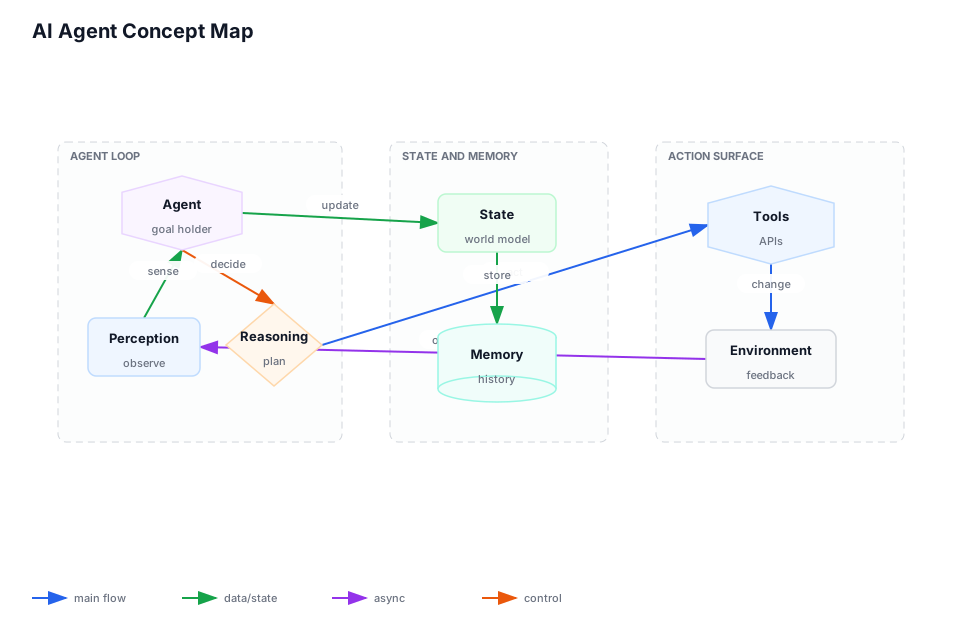
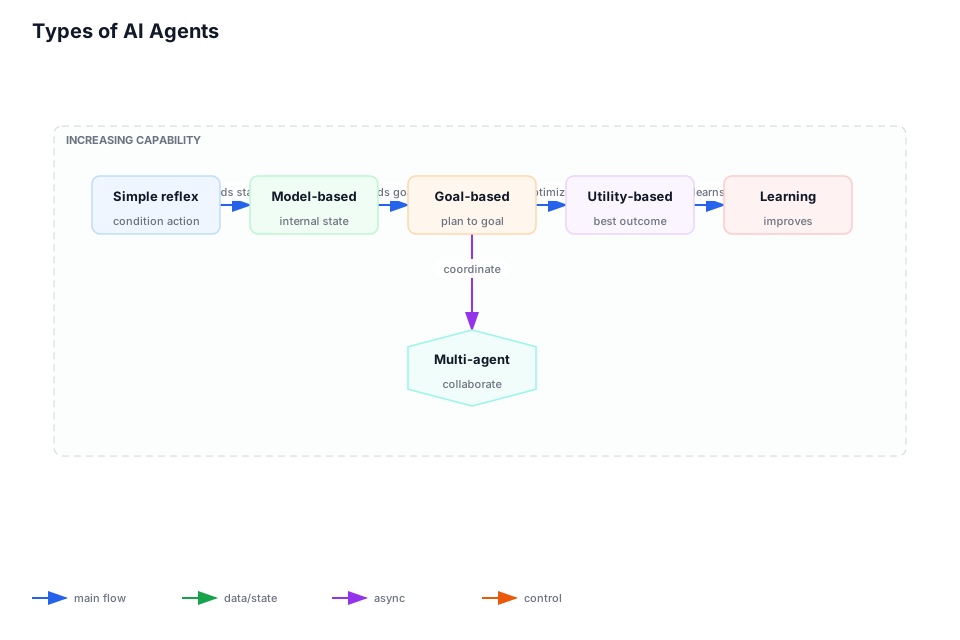
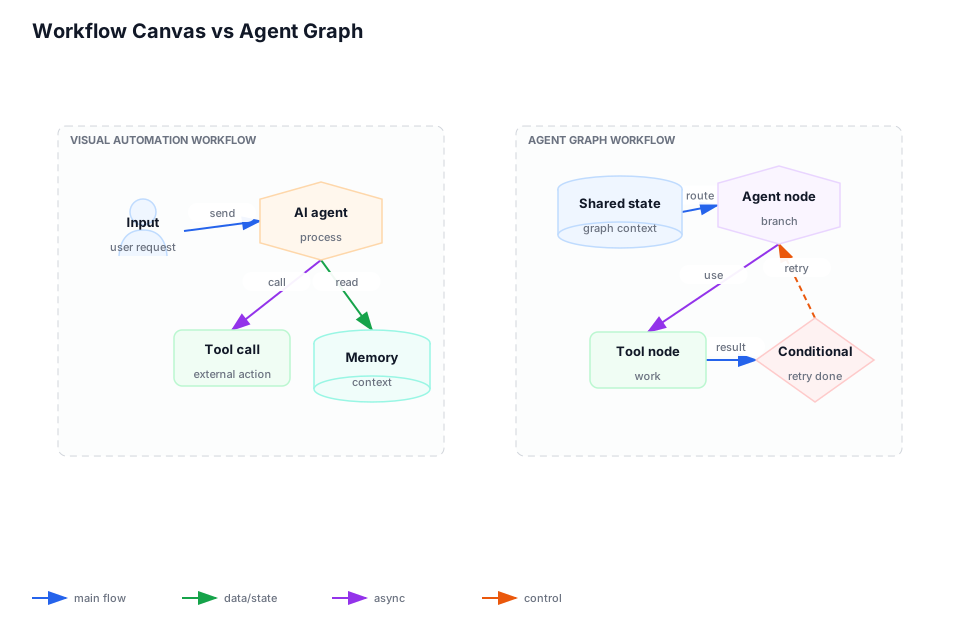
Primary chapter graphic: AI Agent Tech Stack, AI Agent Concept Map, Types of AI Agents, Workflow Canvas vs Agent Graph, MCP and A2A Agent Protocols, Agentic AI Learning Roadmap, AI Agent Framework Catalog, AI Agent versus MCP, AI Agent Operating Loop, MCP Client-Server Tool Bridge. Accepted graphics: 10. Reviewed non-signal pages: 3. Open graphics in review: 0. QA status lives in graphics audit and visual review ledger.
Corpus pages: p. 32, p. 42, p. 95, p. 120, p. 174, p. 205, p. 228, p. 244-245, p. 286, p. 299-300, p. 344, p. 356-357, p. 387 Coverage: 16 pages; low-confidence extraction ranges: p. 356-357, p. 387
This chapter is part of Marius's owned architecture build corpus. The text routes decisions; durable implementation signal is carried by accepted graphics, reviewed non-signal decisions, and the linked QA audit.
Chapter Visuals
Accepted graphics carry the canonical design signal for this chapter. Each selected source page is either accepted as a graphic or explicitly marked non-signal in the source-faithful ledger. Review and QA state live in visual inventory, visual review ledger, and graphics audit.
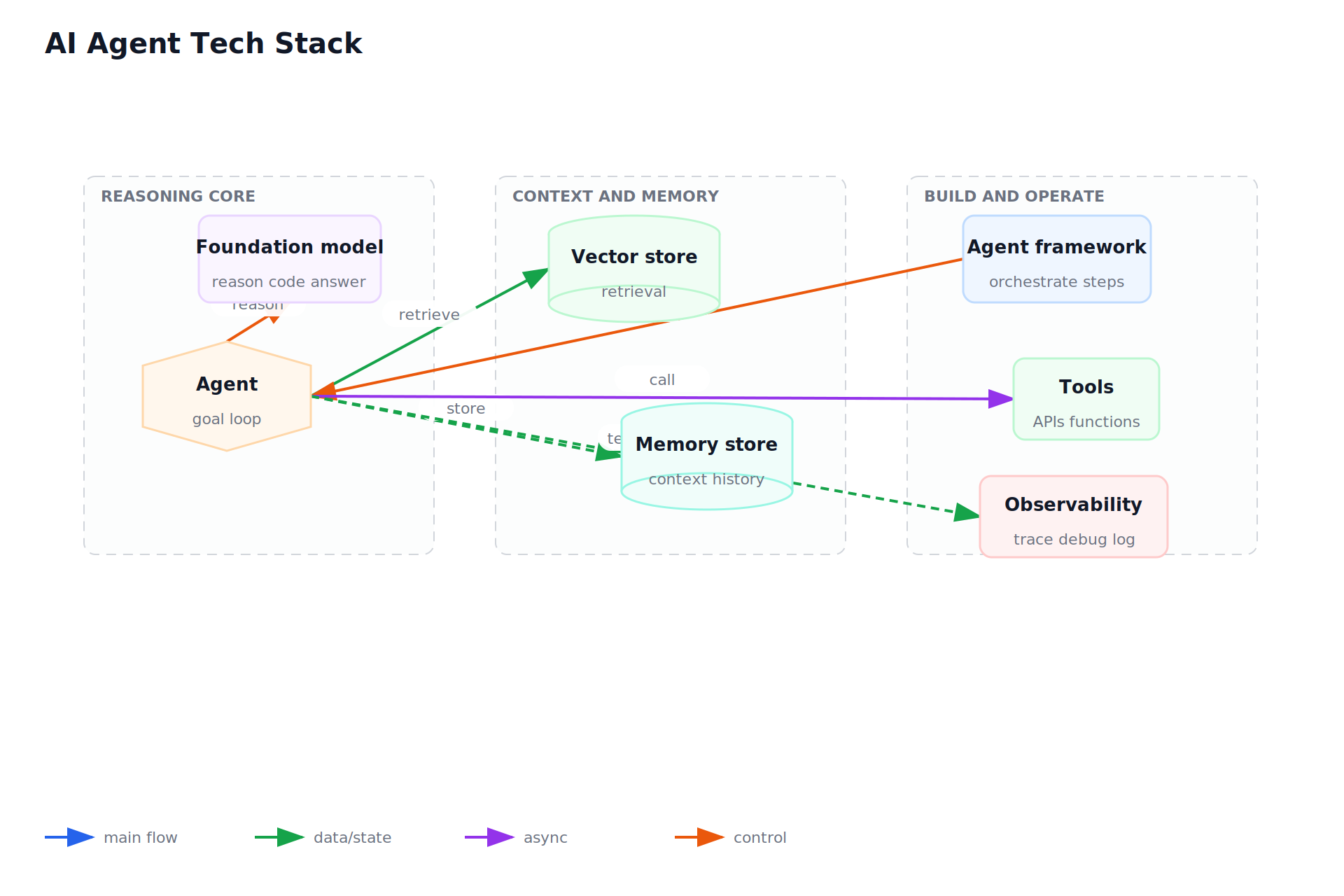
AI Agent Tech Stack
- source-page: p. 386
- batch: 02
- status: accepted
- reviewer-status: reviewed
- fidelity-score: 0.9
- spec: bbg-p0386-platform-selection-and-tradeoffs-platform.json
- svg: bbg-p0386-platform-selection-and-tradeoffs-platform.svg
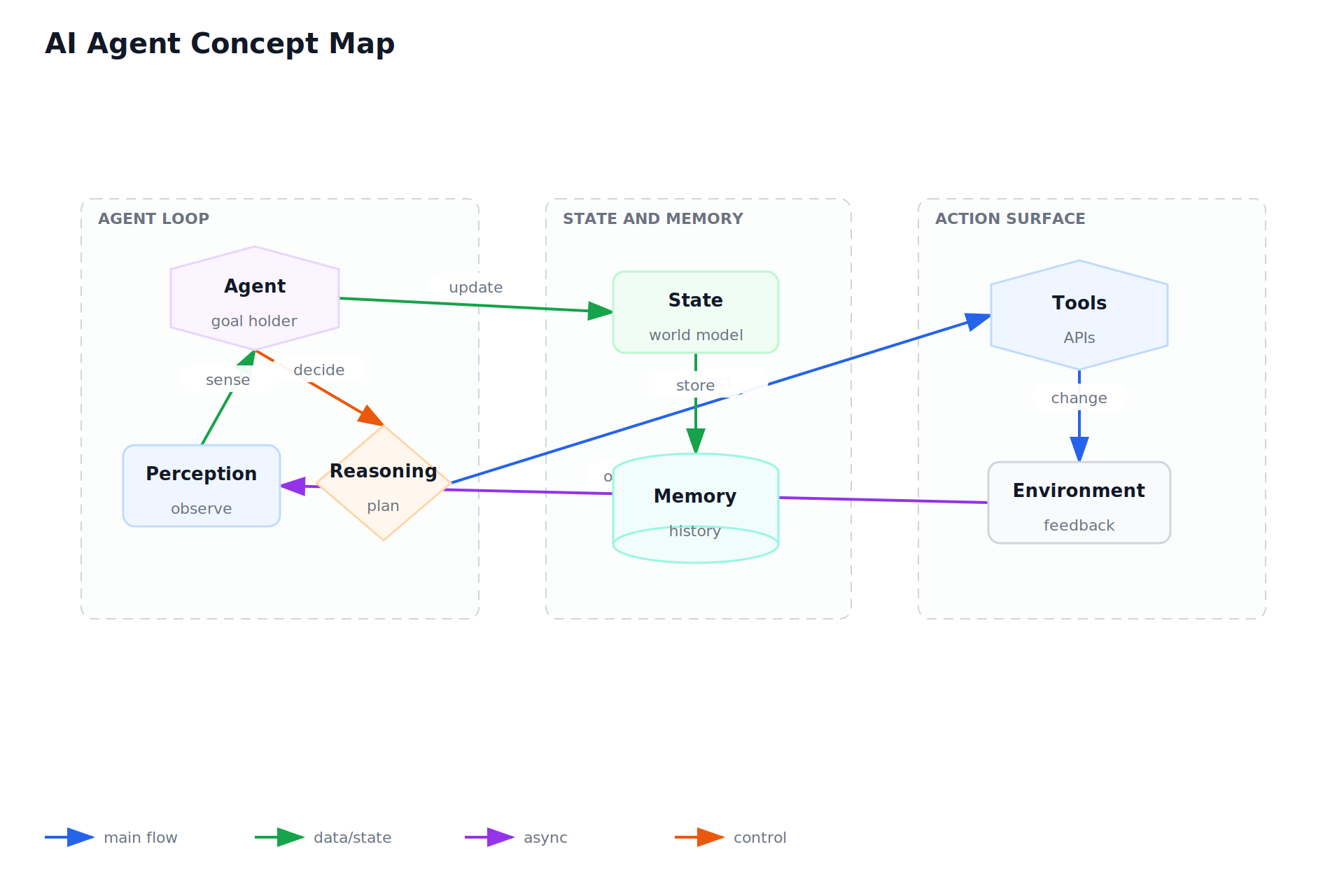
AI Agent Concept Map
- source-page: p. 204
- batch: 06
- status: accepted
- reviewer-status: reviewed
- fidelity-score: 0.9
- spec: bbg-p0204-architecture-source-map-architecture-source.json
- svg: bbg-p0204-architecture-source-map-architecture-source.svg
Types of AI Agents
- source-page: p. 343
- batch: 10
- status: accepted
- reviewer-status: reviewed
- fidelity-score: 0.9
- spec: bbg-p0343-ai-models-and-llm-systems.json
- svg: bbg-p0343-ai-models-and-llm-systems.svg
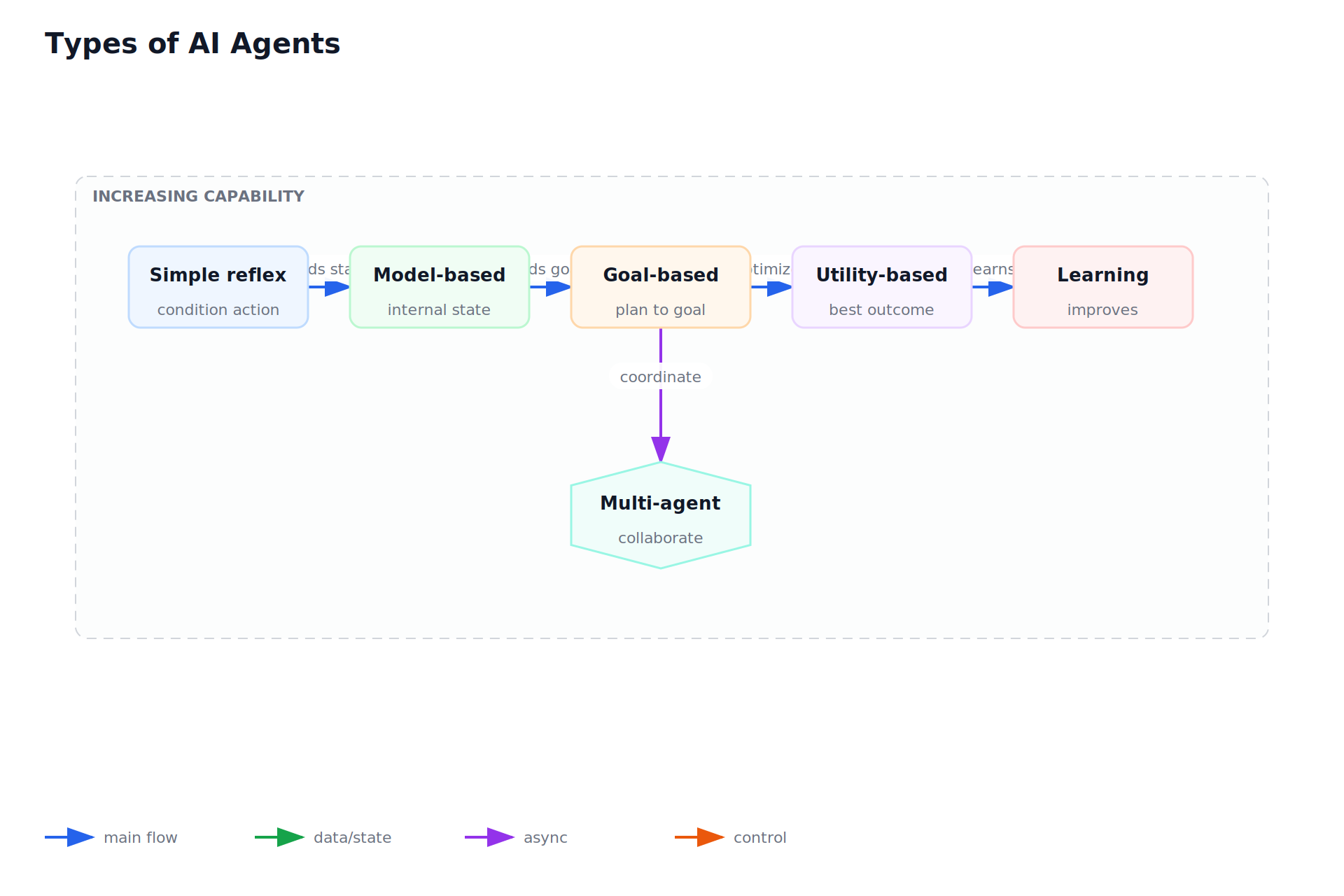
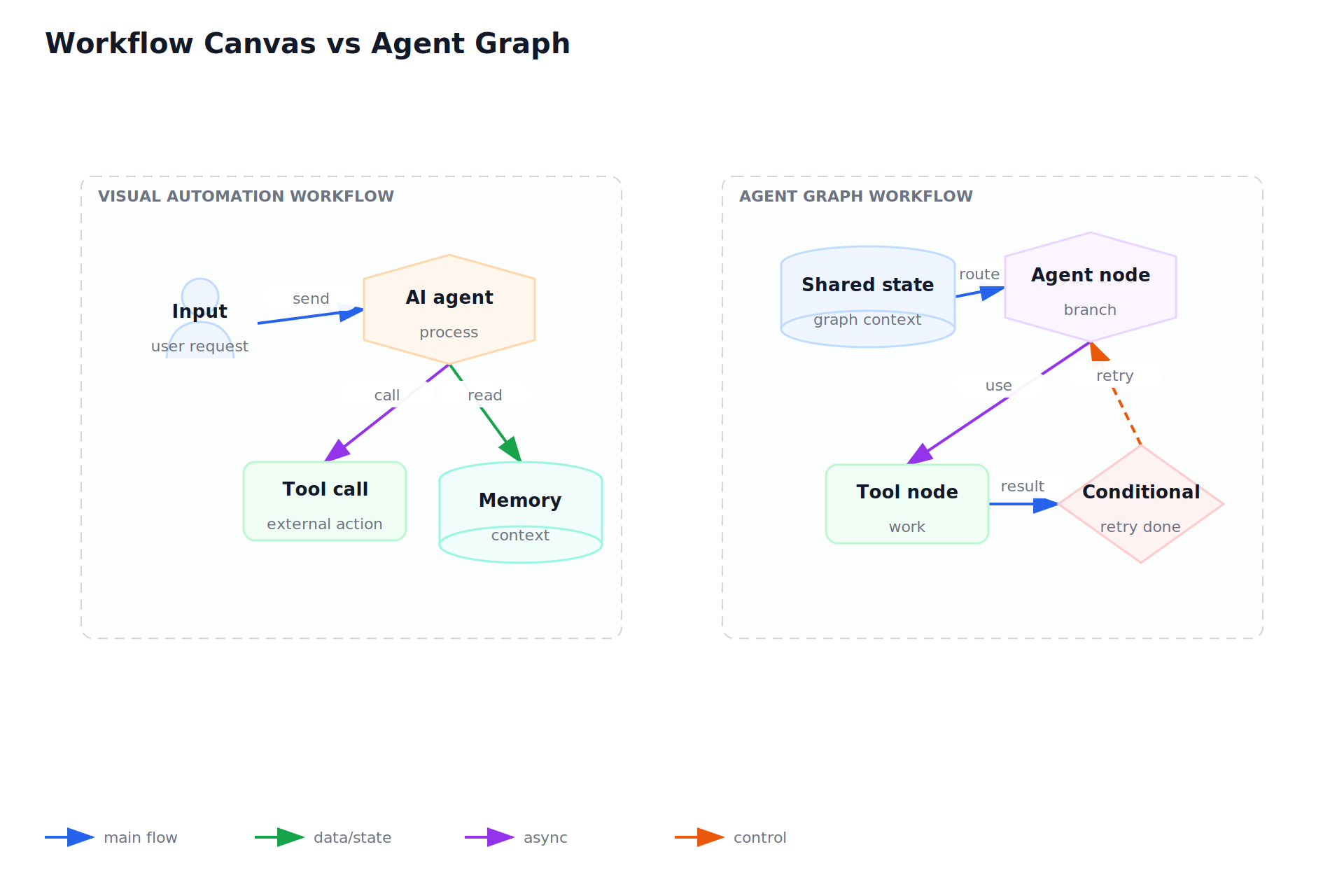
Workflow Canvas vs Agent Graph
- source-page: p. 299
- batch: 12
- status: accepted
- reviewer-status: reviewed
- fidelity-score: 0.9
- spec: bbg-p0299-ai-agents-and-tool-use.json
- svg: bbg-p0299-ai-agents-and-tool-use.svg
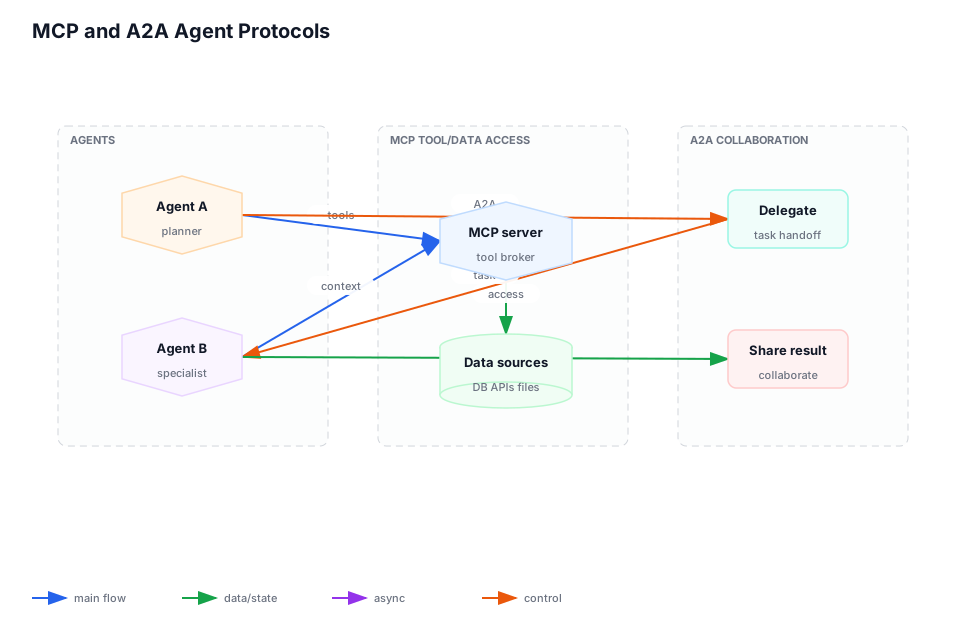
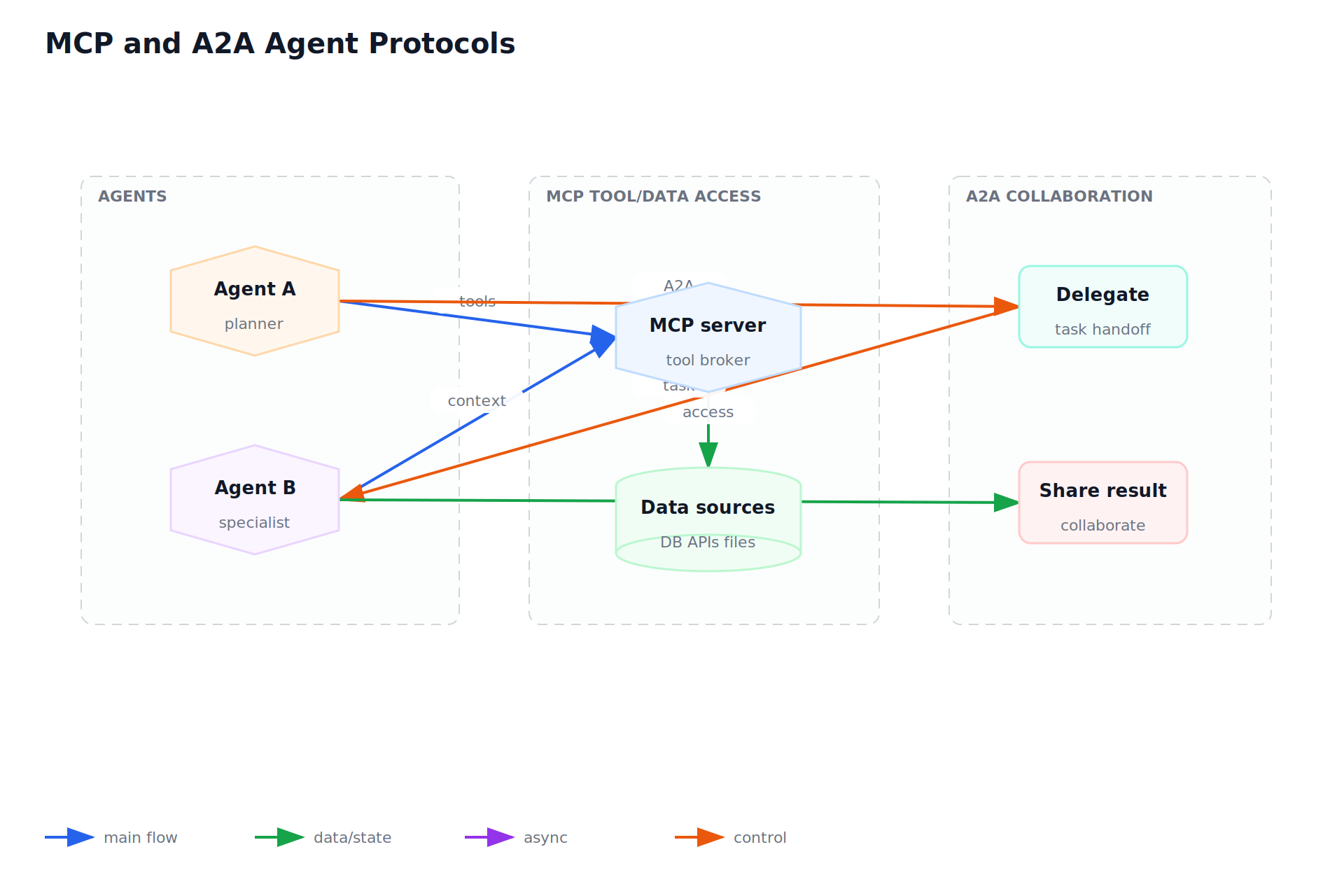
MCP and A2A Agent Protocols
- source-page: p. 244
- batch: 13
- status: accepted
- reviewer-status: reviewed
- fidelity-score: 0.9
- spec: bbg-p0244-ai-agents-and-tool-use.json
- svg: bbg-p0244-ai-agents-and-tool-use.svg
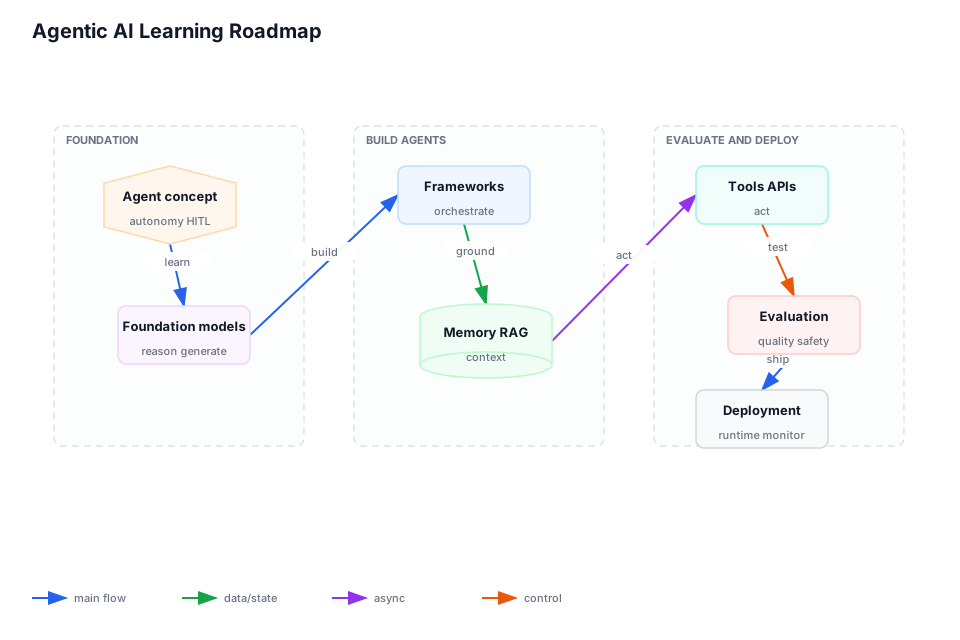
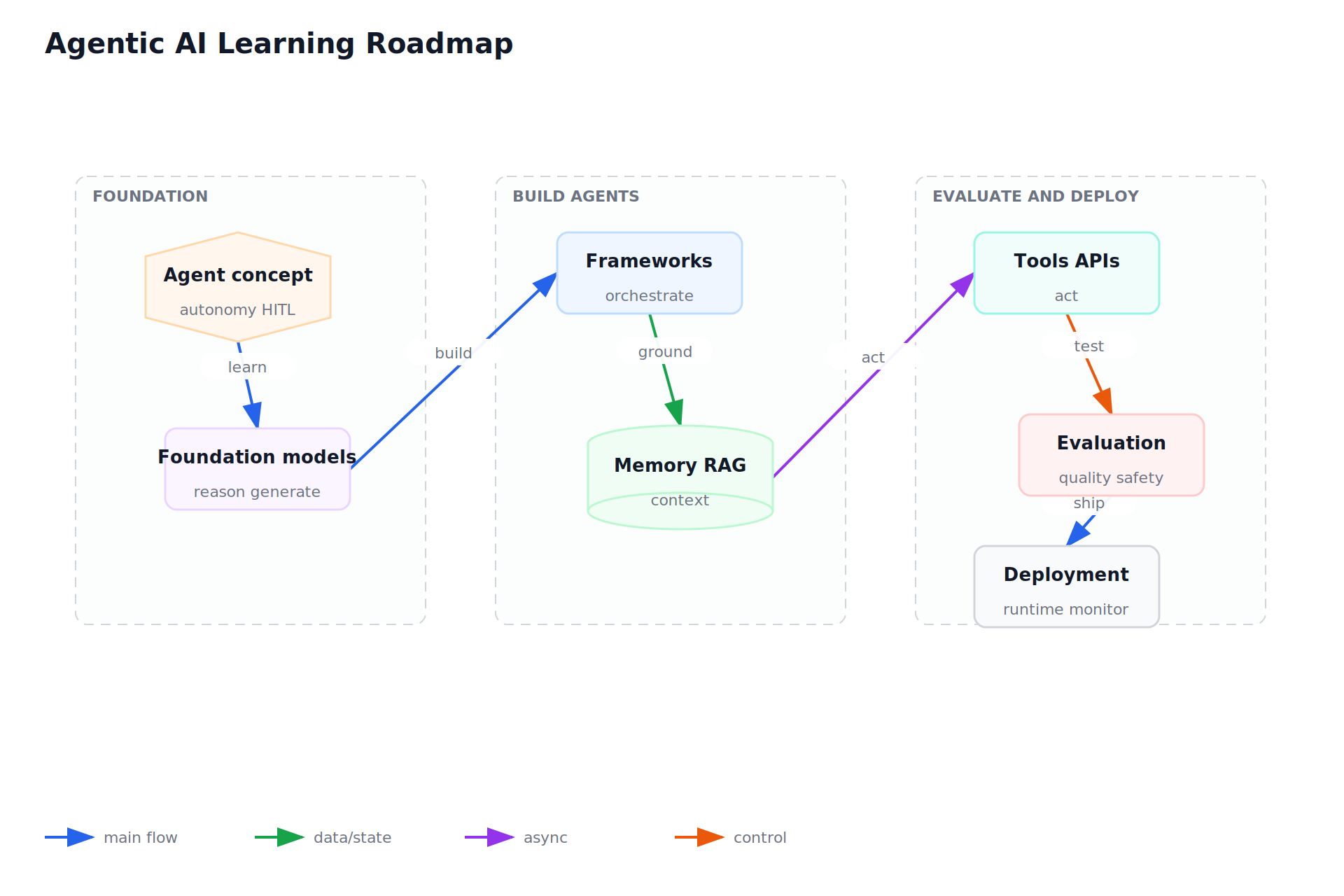
Agentic AI Learning Roadmap
- source-page: p. 228
- batch: 16
- status: accepted
- reviewer-status: reviewed
- fidelity-score: 0.9
- spec: bbg-p0228-ai-agents-and-tool-use.json
- svg: bbg-p0228-ai-agents-and-tool-use.svg
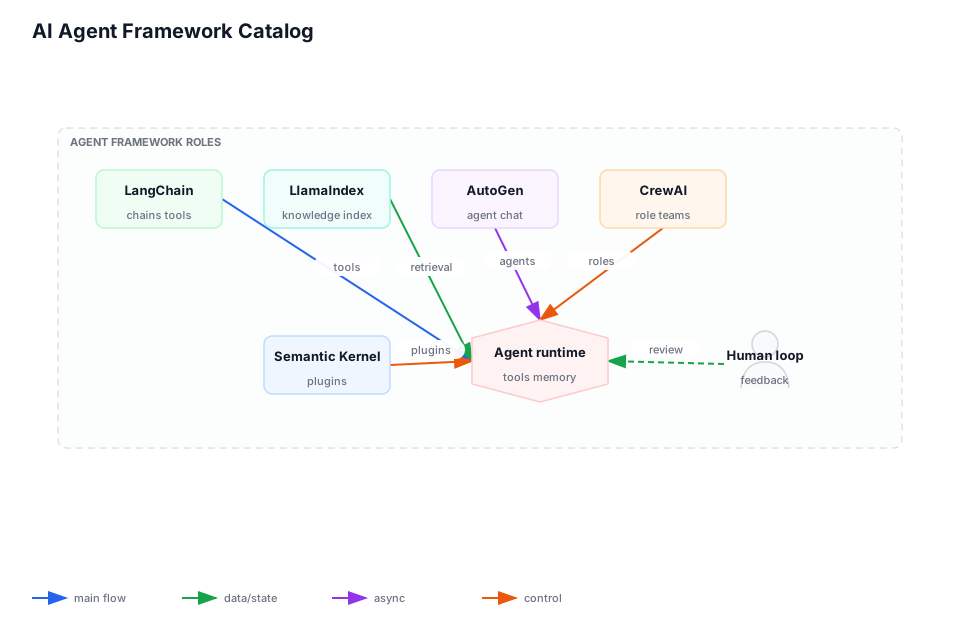
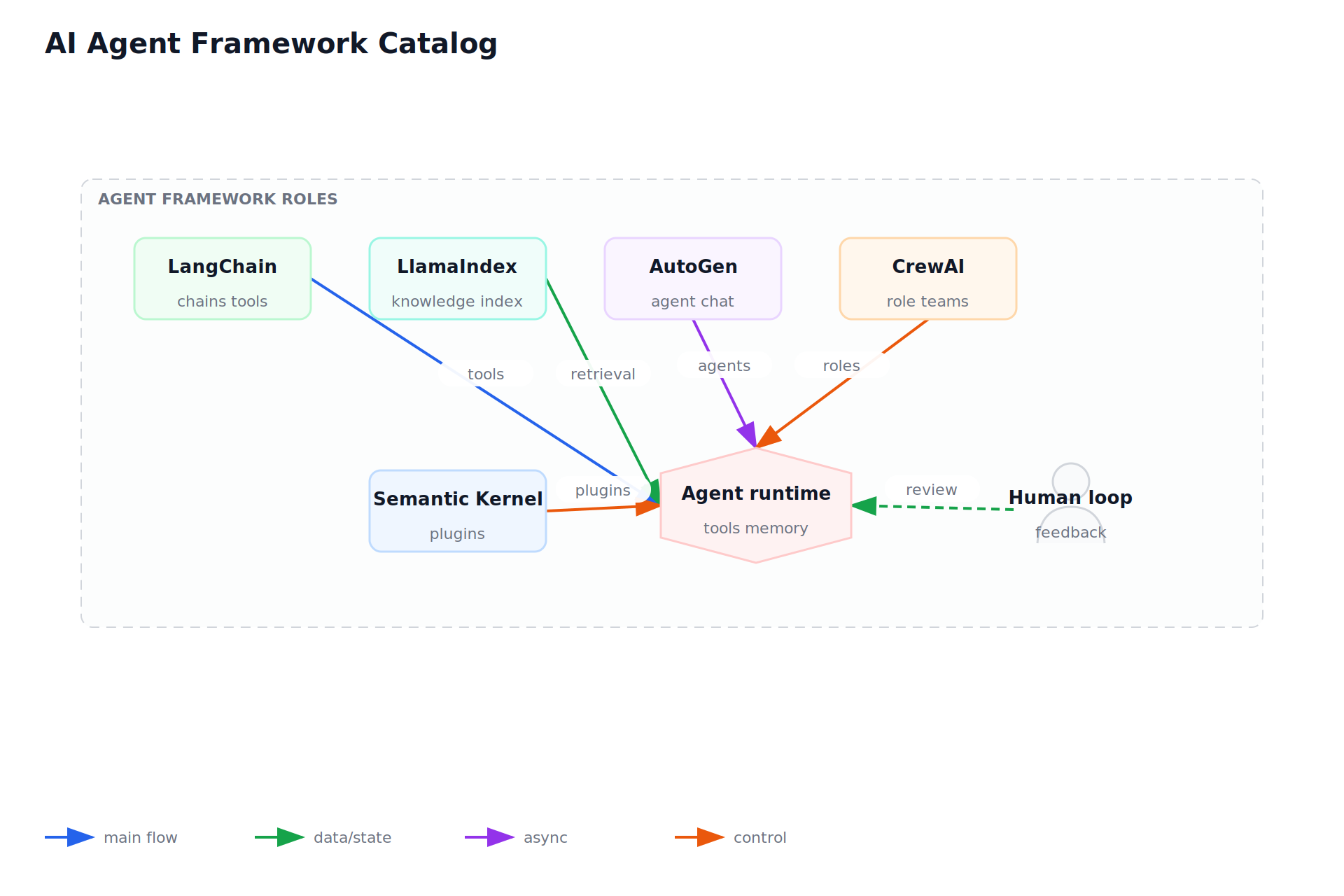
AI Agent Framework Catalog
- source-page: p. 274
- batch: 18
- status: accepted
- reviewer-status: reviewed
- fidelity-score: 0.9
- spec: bbg-p0274-search-retrieval-and-rag-search.json
- svg: bbg-p0274-search-retrieval-and-rag-search.svg
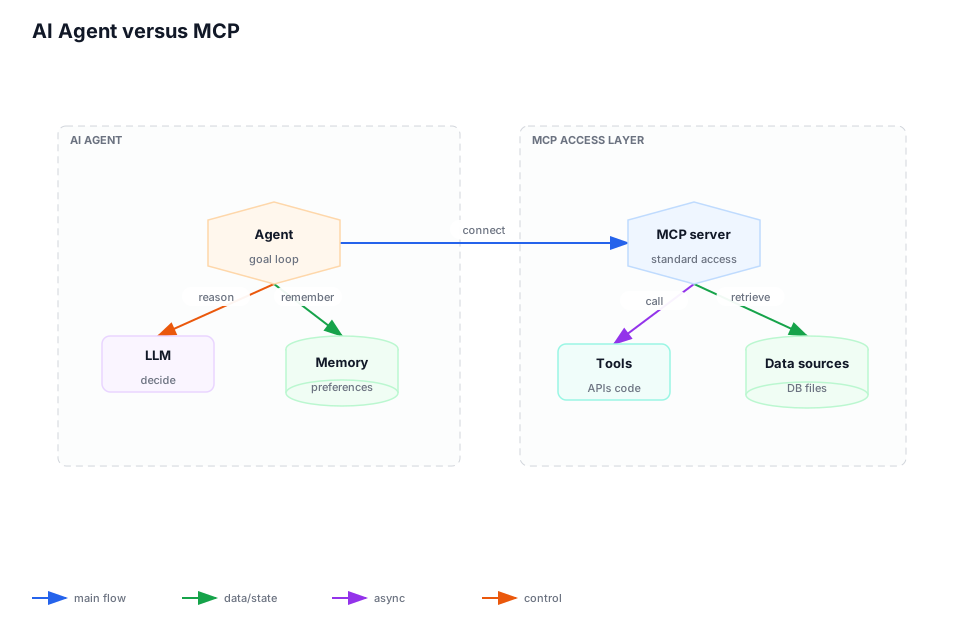
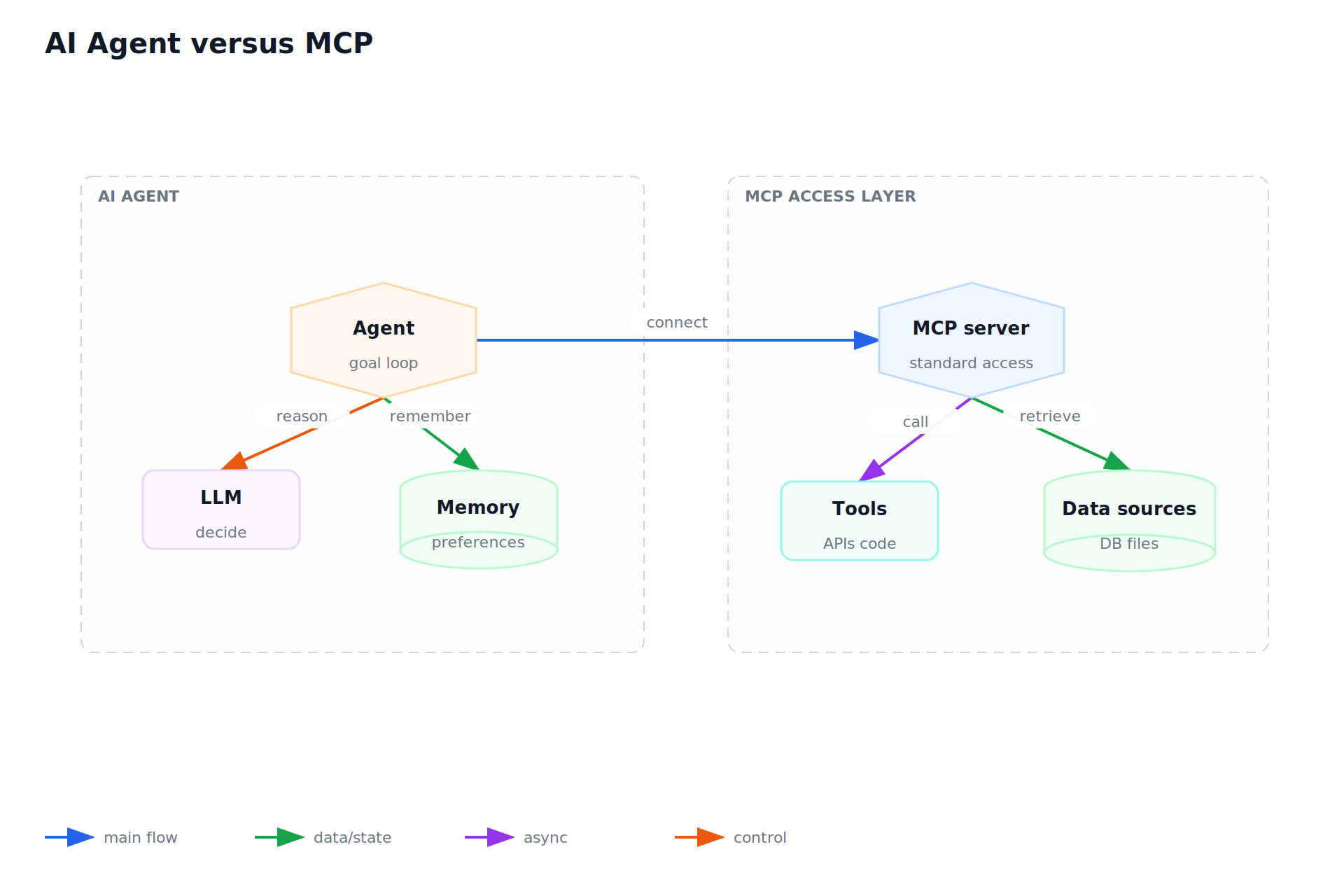
AI Agent versus MCP
- source-page: p. 286
- batch: 23
- status: accepted
- reviewer-status: reviewed
- fidelity-score: 0.9
- spec: bbg-p0286-ai-agents-and-tool-use.json
- svg: bbg-p0286-ai-agents-and-tool-use.svg
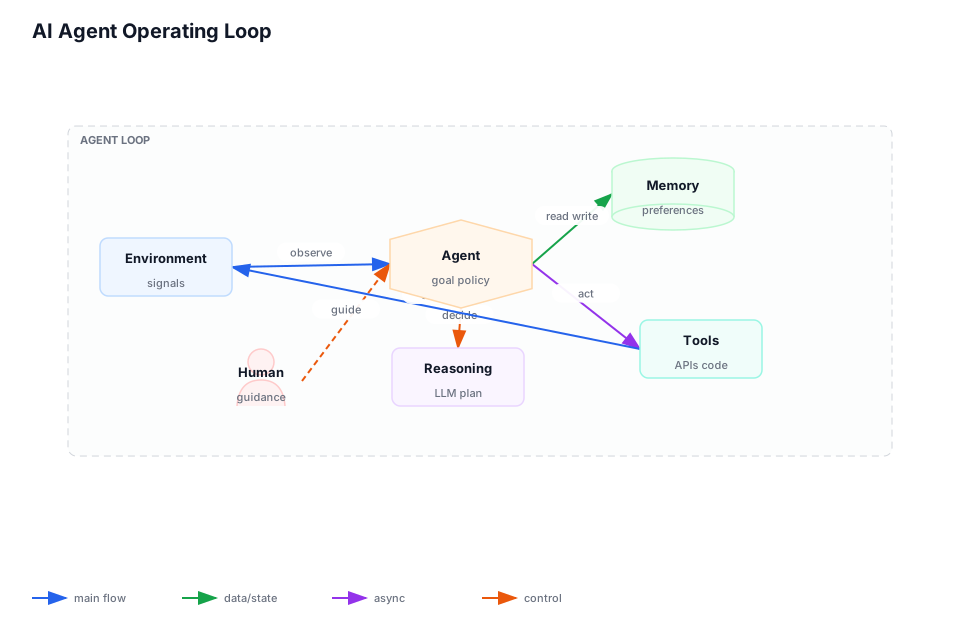
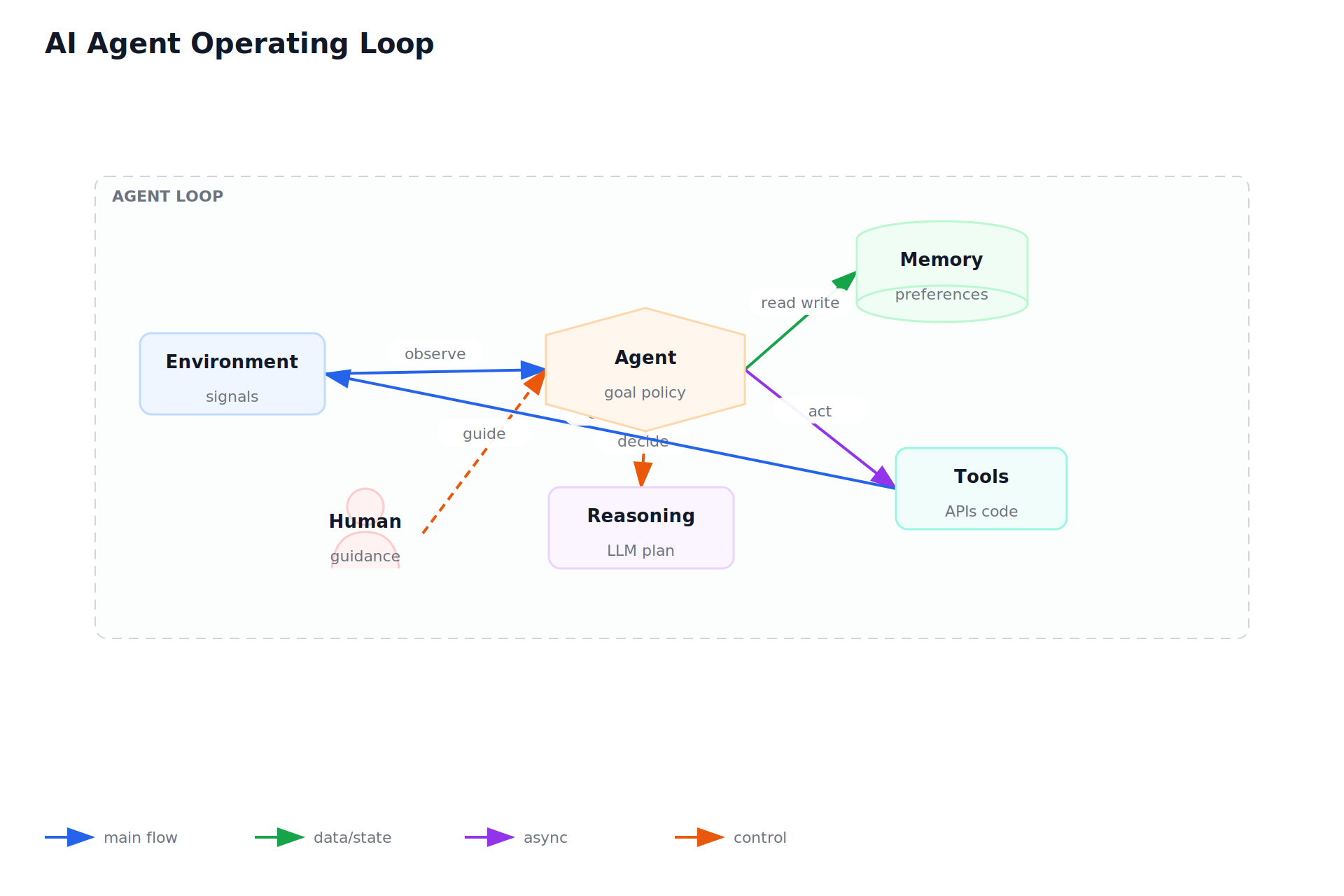
AI Agent Operating Loop
- source-page: p. 42
- batch: 32
- status: accepted
- reviewer-status: reviewed
- fidelity-score: 0.9
- spec: bbg-p0042-ai-agents-and-tool-use.json
- svg: bbg-p0042-ai-agents-and-tool-use.svg
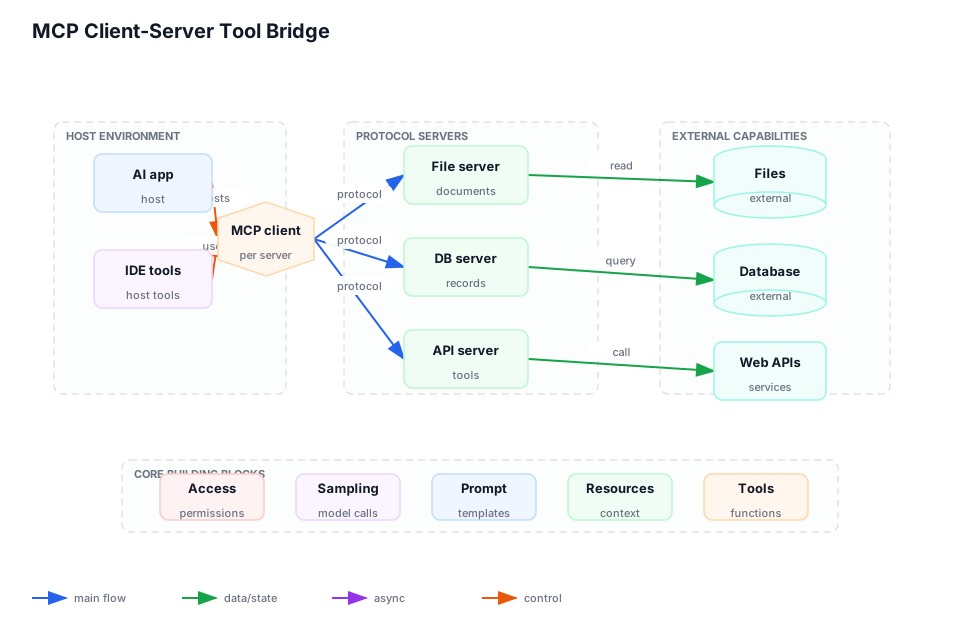
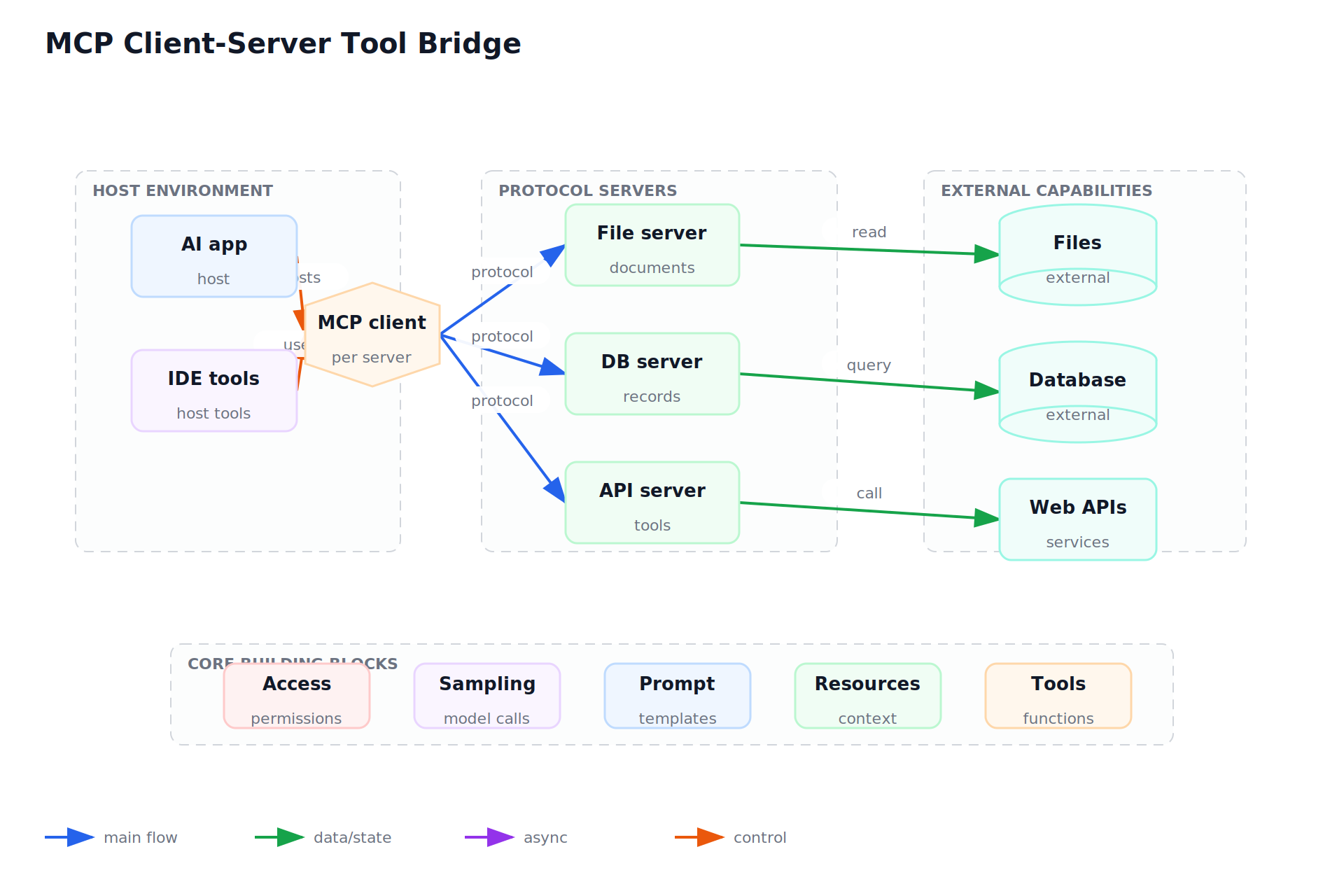
MCP Client-Server Tool Bridge
- source-page: p. 87
- batch: 36
- status: accepted
- reviewer-status: reviewed
- fidelity-score: 0.9
- spec: bbg-p0087-grpc-and-service-communication-service.json
- svg: bbg-p0087-grpc-and-service-communication-service.svg
Open Review Queue
- none
Reviewed Non-Signal Pages
- AI Agents And Tool Use: Agent Map: source p. 32; batch 19; status non-signal/reviewed; ledger reason in visual-review-ledger.json
- AI Agents And Tool Use: Agent Map: source p. 174; batch 26; status non-signal/reviewed; ledger reason in visual-review-ledger.json
- AI Agents And Tool Use: Agent + Tool Map: source p. 300; batch 30; status non-signal/reviewed; ledger reason in visual-review-ledger.json
Use When
- A system needs iterative reasoning, tool calls, memory, or multi-step task execution.
Avoid When
- A simple deterministic workflow can complete the task with fewer failure modes.
Core Model
- Agents need bounded tools, observable state, human gates, and regression checks around risky actions.
- Prefer explicit ownership over accidental coupling. Every boundary should say who owns correctness, cost, data, recovery, and change.
- Use corpus page pointers for inspection, and keep the chapter notes focused on reusable design decisions.
Implementation Guidance
- Define allowed tools, input context, planning budget, stop rules, approval points, and audit trail.
- Write the smallest useful design note: purpose, inputs, outputs, state, failure behavior, observability, and rollback.
- Choose the first implementation that can be tested against the real workflow without hiding a known production risk.
Tradeoffs
- Autonomy reduces manual work but expands the space of possible errors.
- Centralization reduces duplicated work but can become a bottleneck when every team needs exceptions.
- Specialized infrastructure helps at scale, but it must earn its operational cost.
Failure Modes
- The agent can call a tool but no one can explain why it chose that action.
- The diagram shows boxes but not ownership, retry behavior, data freshness, or user-visible failure.
- The system has no proof path for the highest-risk assumption.
Decision Checklist
- Log inputs, decisions, tool calls, outputs, approvals, and rollback path.
- Name the owner, source of truth, timeout, retry policy, and evidence that the path works.
- Add one regression check for the failure mode most likely to recur.
Neutral Automation Examples
- A research assistant drafts findings and citations, while publishing remains behind human approval.
- A neutral internal automation starts with fixtures, then adds credentials, permissions, and production scheduling only after the boundary is tested.
- A customer-facing workflow keeps irreversible actions behind explicit approval until metrics show it is safe to automate further.